The sales CRM that does the work, not just tracks it.
It reads the client email you send it, spots the deals that need you, and drafts the updates and follow-ups. You approve each update and send each follow-up yourself.
Petal is open by invitation. Sign in or sign up with the address your invitation went to.
Example data
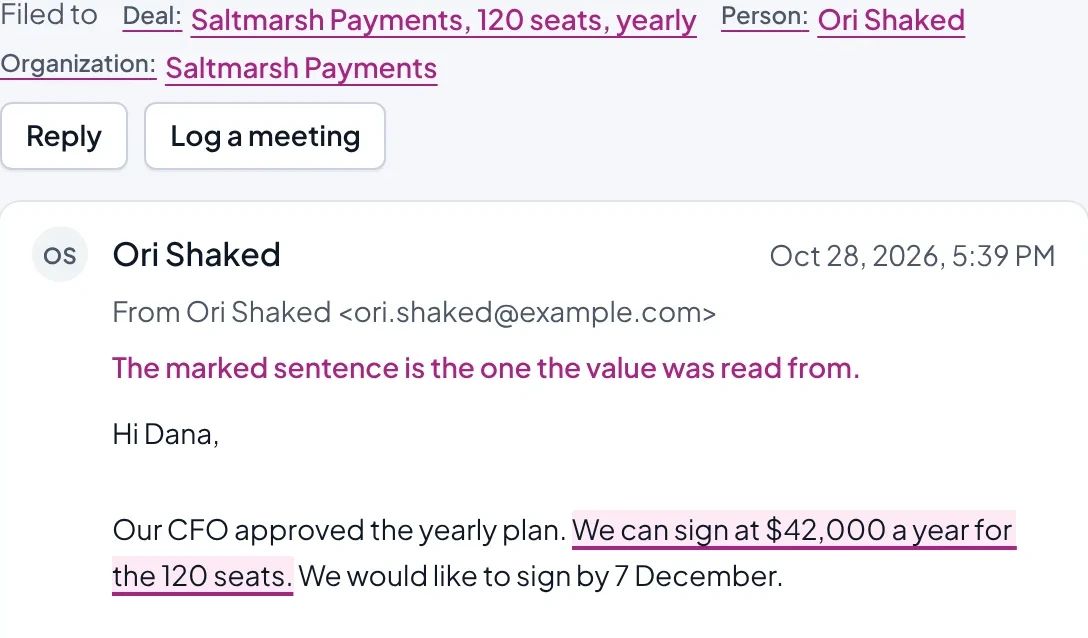
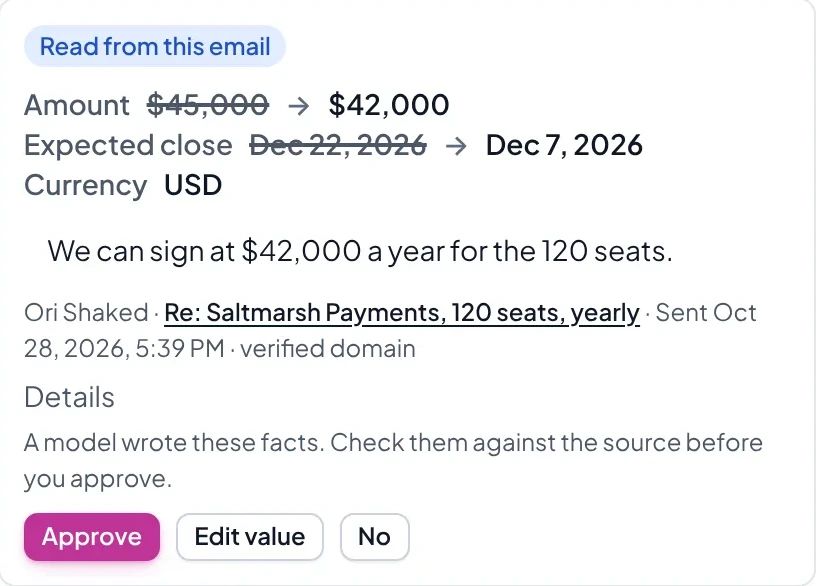
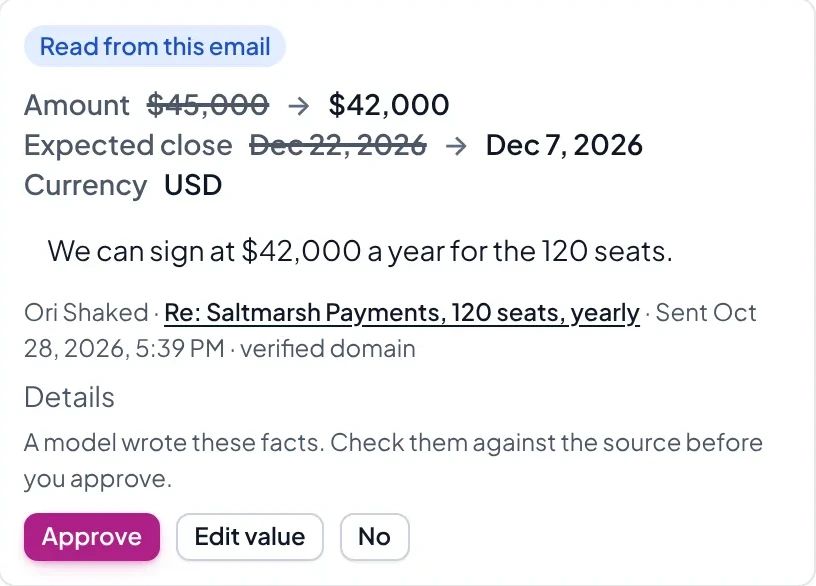
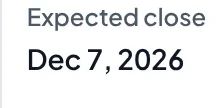
Five steps in the app, with example data: Ori Shaked's email filed on the deal "Saltmarsh Payments, 120 seats, yearly", with the sentence about the new amount marked; on the deal, a suggested update to its amount and expected close beside that sentence; Approve pressed; the deal showing the new amount and expected close; and, drawn for this example, the card asking whether changes like this to the expected close should apply automatically from now on, answered yes.
Apply changes like this automatically from now on?
Yes, automaticallyKeep asking me
Done: these now apply automatically.
1. An email arrives Ori replies with a new yearly amount and a date to sign.
2. An update is suggested Waiting on the deal. Try it: press Approve.
3. You approve You press Approve.
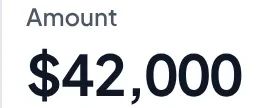
4. The deal changes The deal shows the new amount and date.
5. You choose You choose for each kind of change.
Email arrives
Update suggested
You approve
Deal changes
You choose
An email arrivesAn update is suggestedYou approveThe deal changesYou choose
Ori replies with a new yearly amount and a date to sign.
Waiting on the deal. Try it: press Approve.
You press Approve.
The deal shows the new amount and date.
You choose for each kind of change.
Email capture
Deals fill themselves in from client email
BCC your personal address when you write to a client, or forward the email to it. Or connect Gmail, read-only. We never use it to train AI models, and never sell it or use it for advertising.
Nothing on the deal changes until you approve.
The email and the update read from it.
Setup
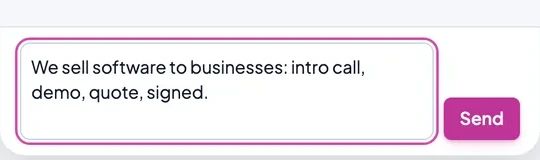
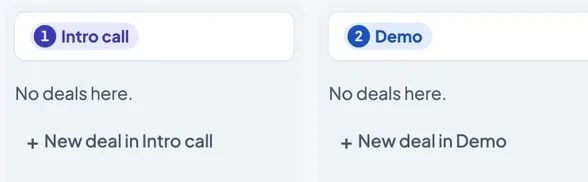
Set up your pipeline by describing how you sell
"We usually start with an email to see if they're even open to a chat, and if they write back we get them on a quick phone call. If they're interested we book a proper demo with whoever makes the decision, then send over a proposal and follow up until they decide, and once they sign we kick things off with an onboarding call."
Step through it: a few words, one approval
Example data
1. You say how you sell In your own words.
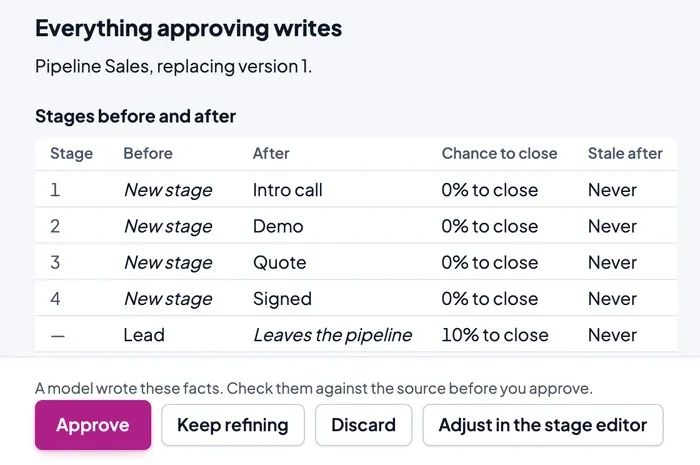
2. It drafts the stages Old stages beside the new ones.
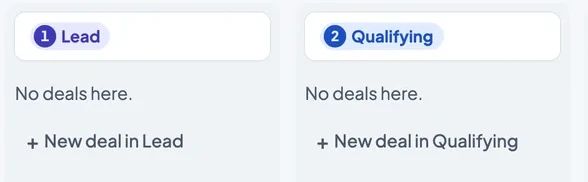
3. Your stages The board follows.
In your own words.
Old stages beside the new ones.
The board follows.
A live model's answer, shown unedited.
Daily follow-up
The next move, every morning
To Do lists the deals that need you, each with its reason and a suggested next move.
Step through it: a follow-up that invents nothing
Example data
1. A deal goes quiet To Do suggests a follow-up.
2. You open the draft Nothing is sent.
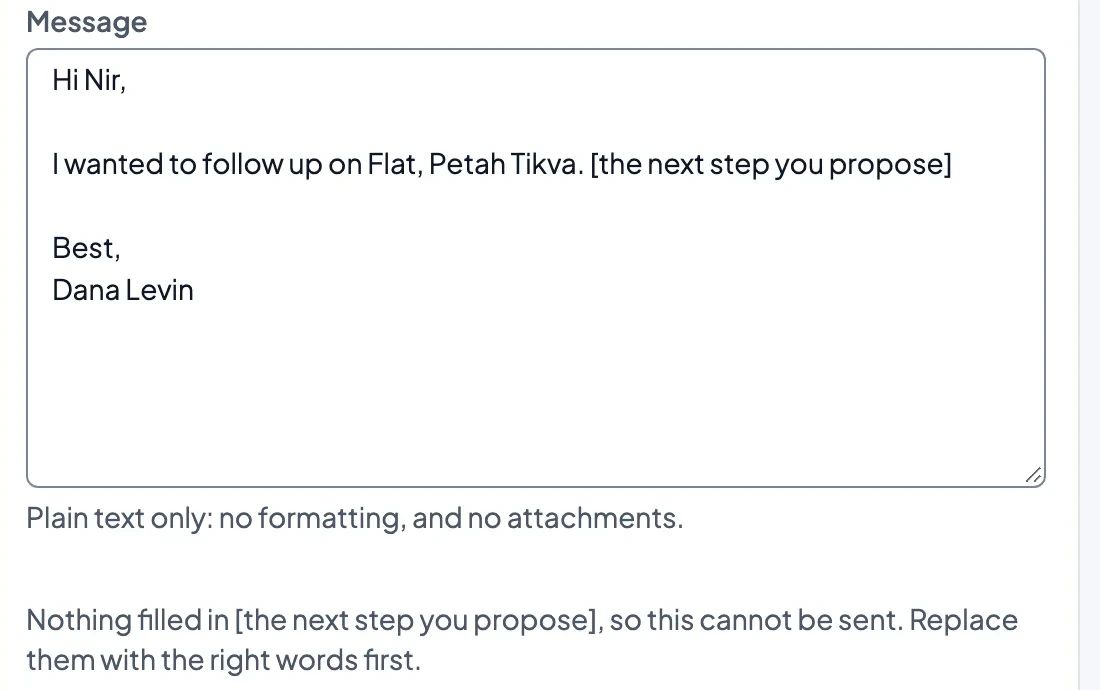
3. It leaves a gap Missing facts become gaps in brackets.
To Do suggests a follow-up.
Nothing is sent.
Missing facts become gaps in brackets.
The app's daily check wrote this; no model was involved.
Change the deal, and the draft changes
The follow-up is written from the deal record. Change the facts and the draft follows.
Try it: the facts a follow-up is written from
Example data
Subject
Office move, 40 seats
Message
Hi Maya,
Thanks for joining the demo with the operations team about the Office move, 40 seats at Globex. I noted that you liked the demo and are waiting on their budget sign-off. Would you like me to check back once that sign-off is in place?
Best,
Dana Levin
Subject
Office move, 40 seats — two-week trial
Message
Hi Maya,
Thanks for the Demo with the operations team about Office move, 40 seats at Globex. You asked for a two-week trial before deciding. Would you like to proceed with the two-week trial?
Best,
Dana Levin
Subject
Office move, 40 seats — next meeting
Message
Hi Maya,
Following the Demo with the operations team, I’m following up on the Office move, 40 seats at Globex. You wanted a second meeting with your finance lead; let’s schedule it for [day and time].
Best,
Dana Levin
From the app, not part of the email
[day and time]
The app won't send it until the gap is filled.
Subject
Office move, 40 seats
Message
Hi Maya,
I’m following up on the Demo with the operations team about the Office move, 40 seats at Globex. Would you be open to a brief conversation about next steps?
Best,
Dana Levin
Subject
Office move, 40 seats
Message
Hi Maya,
I’m following up on the Demo with the operations team about Globex’s Office move, 40 seats. You liked the demo and were waiting on their budget sign-off. Has their budget sign-off come through?
Best,
Dana Levin
Subject
Office move, 40 seats
Message
Hi Maya,
Following up on the Demo with the operations team about the Office move, 40 seats at Globex. You asked for a two-week trial before deciding. Would you like to discuss the next step for the trial?
Best,
Dana Levin
Subject
Office move, 40 seats — next meeting
Message
Hi Maya,
Our Demo with the operations team covered the Office move, 40 seats at Globex. You want a second meeting with your finance lead. Could we set up that meeting for [day and time]?
Best,
Dana Levin
From the app, not part of the email
[day and time]
The app won't send it until the gap is filled.
Subject
Office move, 40 seats
Message
Hi Maya,
I’m following up on the Demo with the operations team about the Office move, 40 seats at Globex. Would you be open to a follow-up to discuss next steps?
Best,
Dana Levin
The drafting model's real output, unedited.
Automations
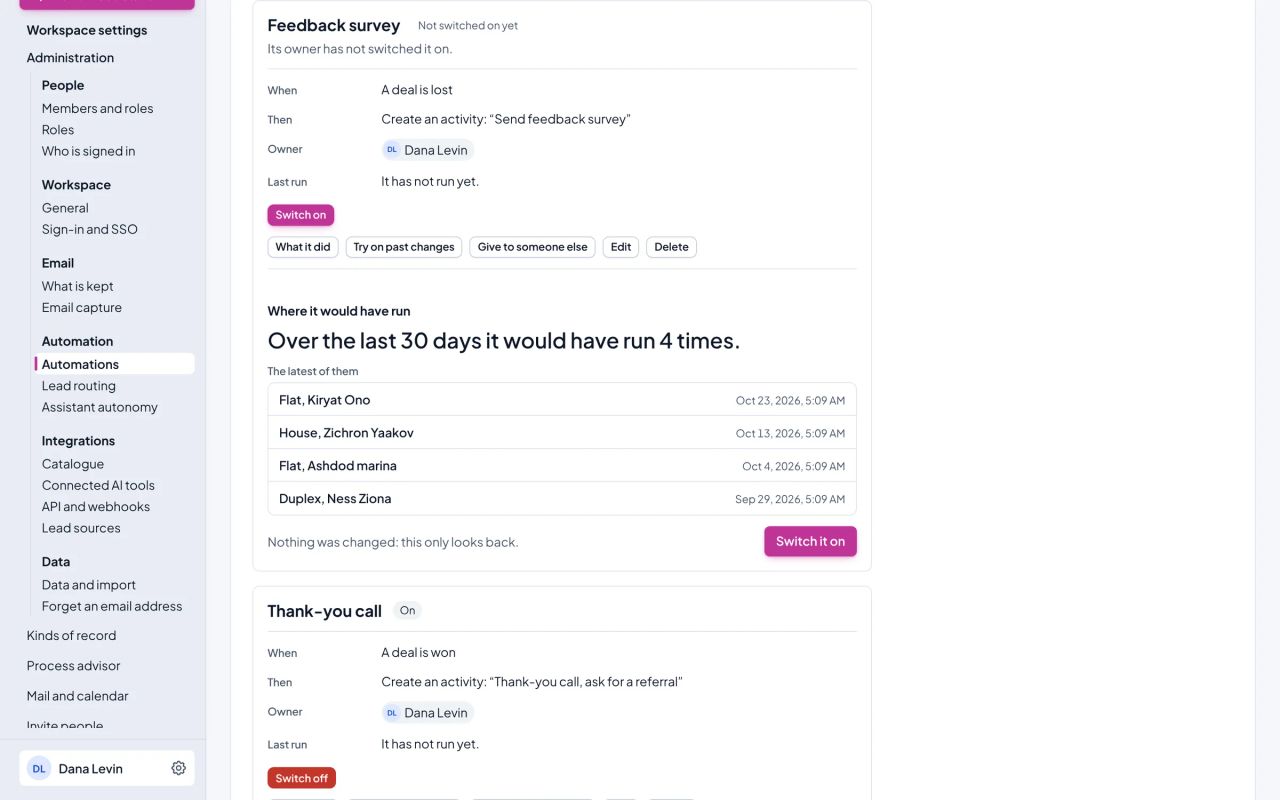
See what an automation would have done in the last 30 days Beta
Describe a rule. See on which deals it would have run in the last 30 days.
"When a deal is won, plan a thank-you call."
Reports and forecast
Ask for a report. The forecast explains itself.
Ask for a report in plain words Beta
Ask the chat for a report, or build one by picking fields.
"Open deals by stage and owner, this quarter."
Step through it: three questions about the pipeline
Example data
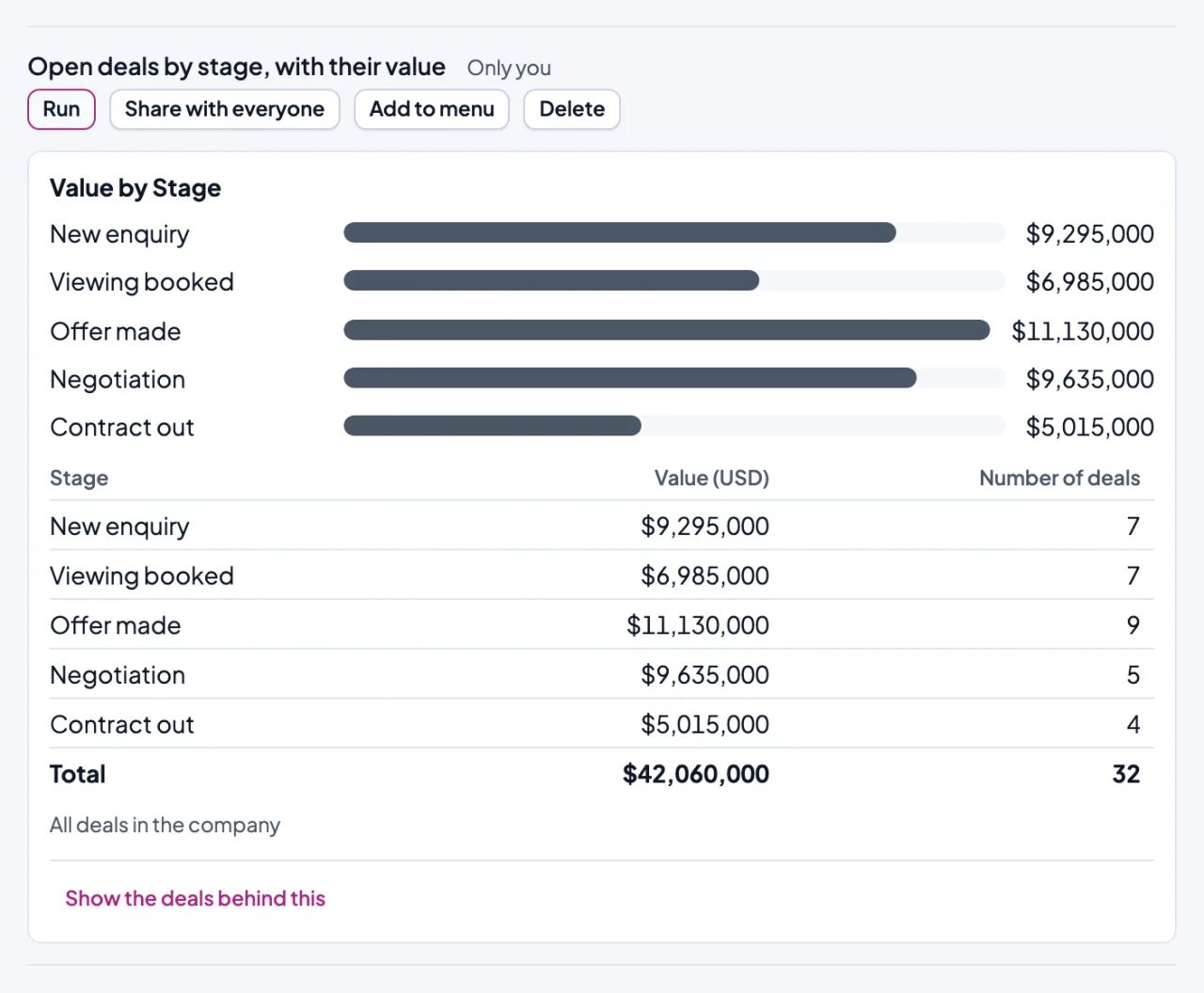
1. Open deals by stage, with their valueCounted and summed.
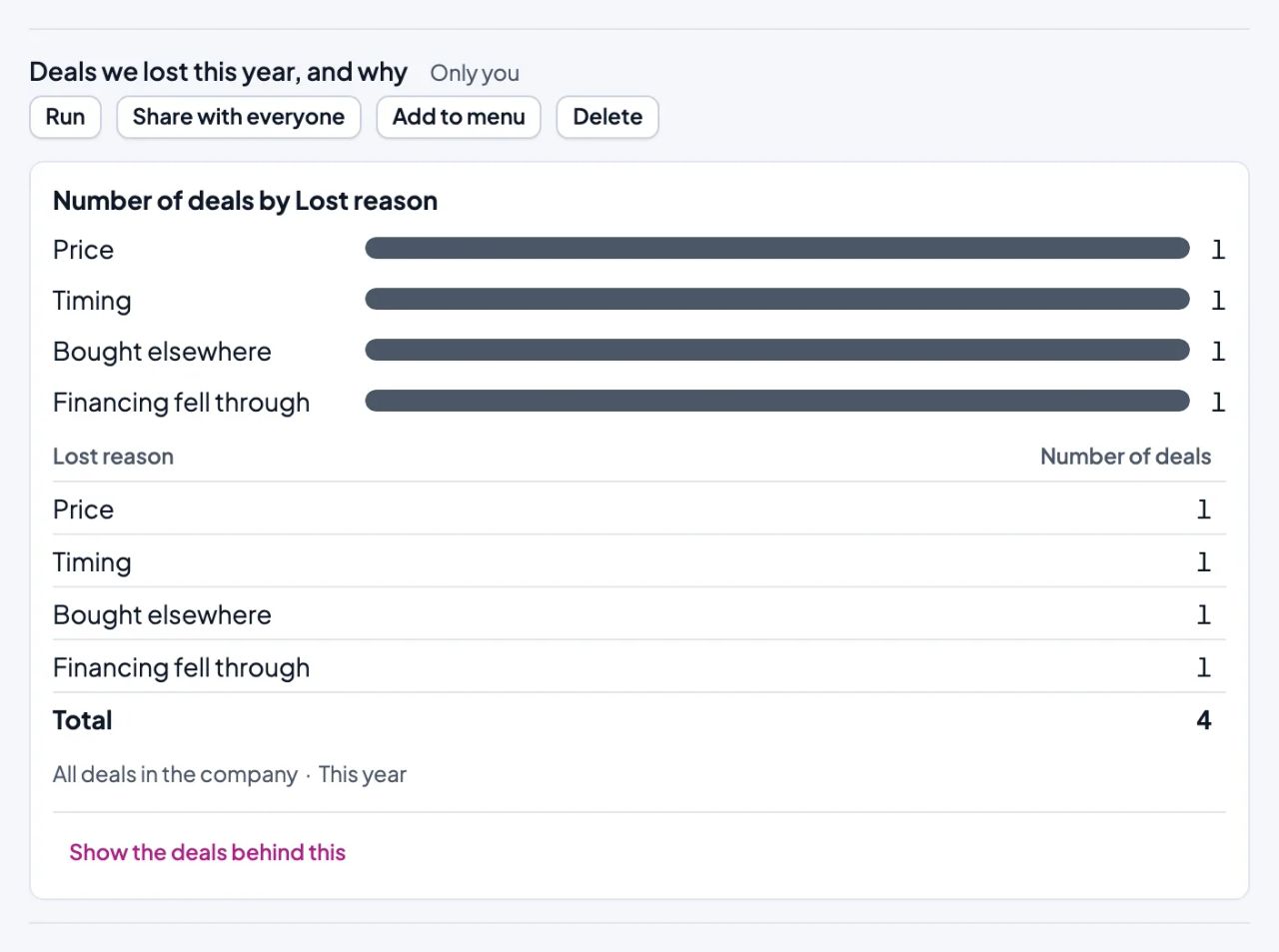
2. Deals we lost this year, and whyGrouped by reason lost.
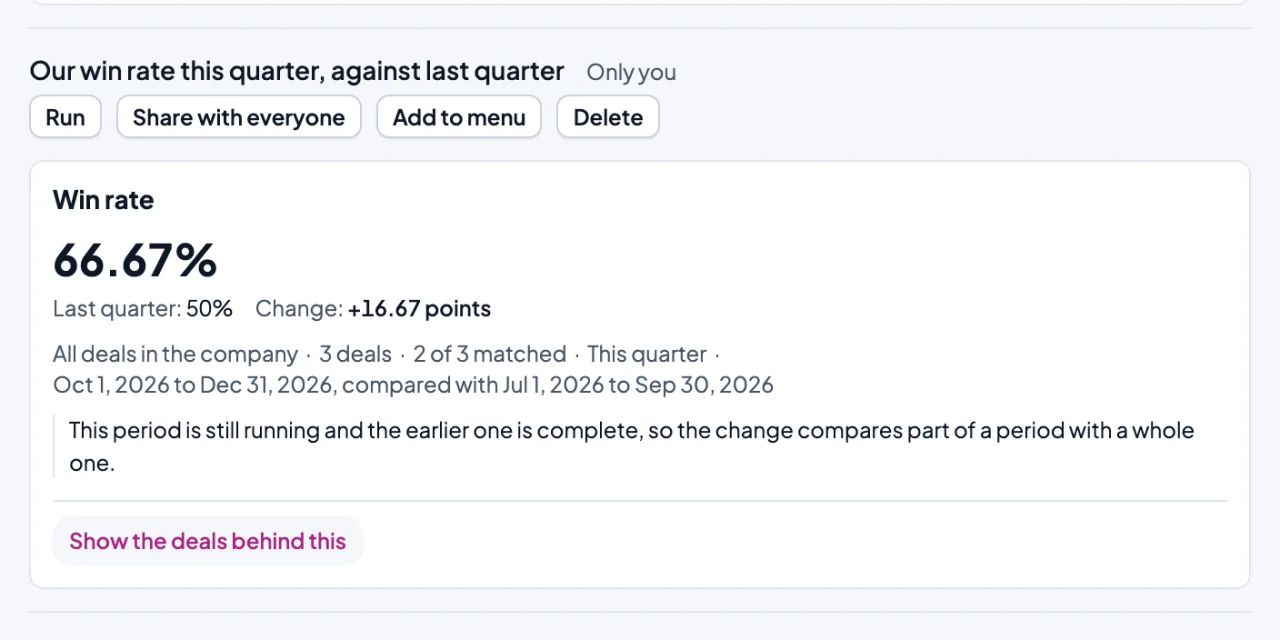
3. Our win rate this quarter, against last quarterWon as a share of won or lost.
No model ran: each question was saved as a report.
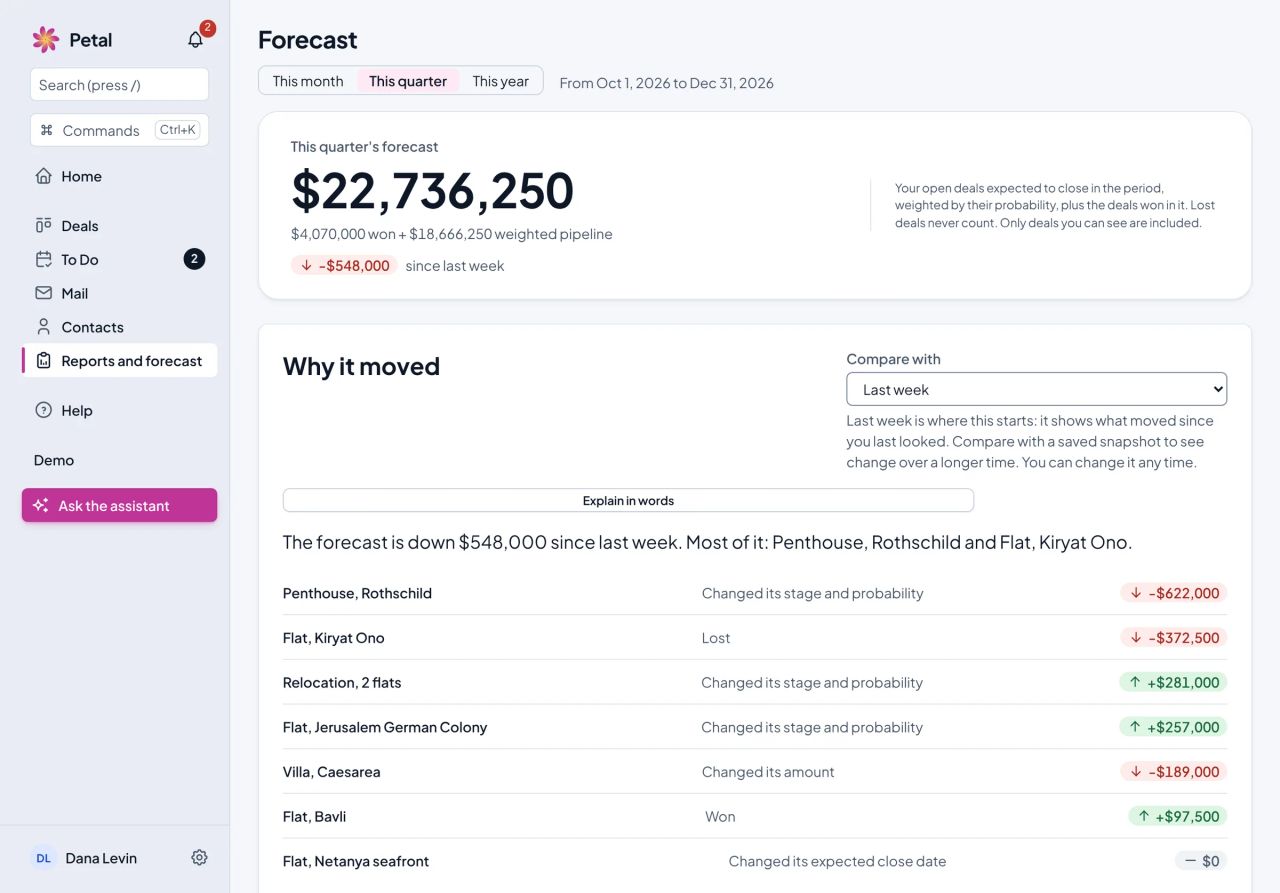
See why your forecast moved
See why this quarter's forecast moved since last week, deal by deal.
Screens from PetalCRM, with example data.
Approval
You stay in control
AI suggestions wait for your approval.
See the source of every value.
Every change the AI makes can be undone, unless it has changed since.
Comparison
How it differs from a typical sales CRM
Area
Typical sales CRM
PetalCRM
Setting it up
Settings screens, or an admin to work them
Say how you sell, then approve the draft
Keeping deals up to date
Reps type in what each client said
Suggested from client email, for you to approve
Reports
A report builder to learn
Ask for one in plain words, or pick the fields Beta
Automations
On a higher plan
On every seat, tested on your last 30 days
Forecast
On a higher plan
On every seat, with the deals that moved it
AI
On a higher plan, or paid for in credits
Included in every seat. No limits until further notice.
Typical: common among established sales CRMs, not all.
Import
Bring your data
Import contacts, companies and deals. Activities and notes don't come across yet.